Vynex Pro IPTV Player เป็นแอปพลิเคชั่น โปรแกรมเล่นวิดีโอ ที่พัฒนาโดย CinelogMaster ที่สามารถทำงานบนอุปกรณ์มือถือ ใช้โปรแกรมจำลอง Android-LDPlayer ที่ดีที่สุด คุณสามารถดาวน์โหลดและเล่น Vynex Pro IPTV Player บนคอมพิวเตอร์ของคุณได้
การใช้ Vynex Pro IPTV Player บนคอมพิวเตอร์ คุณสามารถเรียกดูได้อย่างชัดเจนบนหน้าจอขนาดใหญ่ และการควบคุมแอปพลิเคชันด้วยเมาส์และคีย์บอร์ดนั้นเร็วกว่าการใช้แป้นพิมพ์หน้าจอสัมผัสมากและคุณจะไม่ต้องกังวลกับพลังของอุปกรณ์ของคุณเลย
ด้วยคุณสมบัติเปิดหลายรายการและการซิงค์ คุณสามารถเรียกใช้แอปพลิเคชันและบัญชีหลายรายการบนพีซีของคุณได้
ฟังก์ชันการถ่ายโอนไฟล์ทำให้การแบ่งปันรูปภาพ วิดีโอ และไฟล์เป็นเรื่องง่ายมาก
ดาวน์โหลด Vynex Pro IPTV Player และเรียกใช้บนพีซีของคุณ เพลิดเพลินไปกับหน้าจอขนาดใหญ่และคุณภาพความคมชัดสูงของเวอร์ชันพีซี!
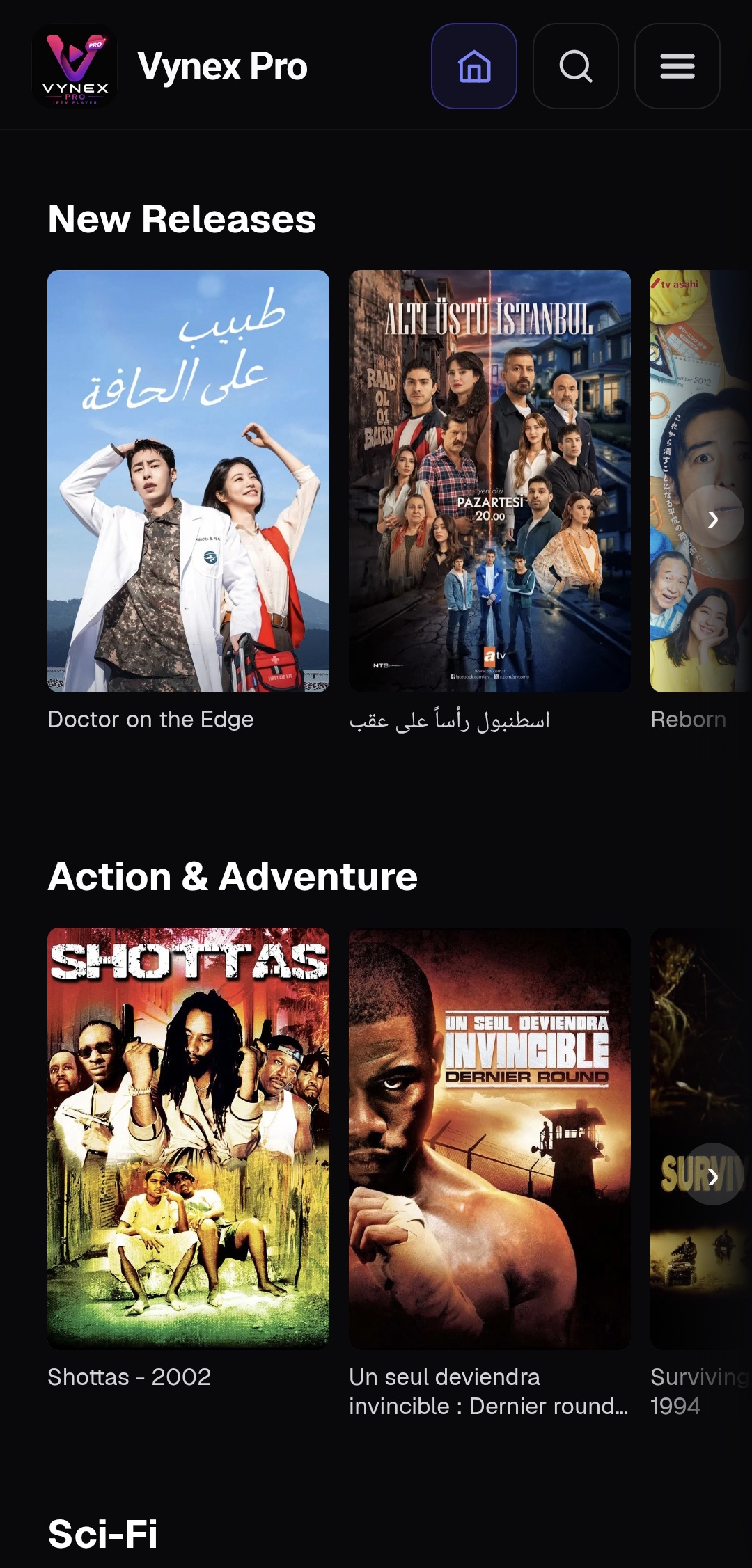
**Experience IPTV without limits.** Vynex Pro is a premium IPTV Player combining lightning-fast playback, an elegant interface, and **Vynex Sync — our exclusive multi-device cloud synchronization technology**. Connect your M3U, M3U+ or Xtream Codes subscription and instantly access your favorites, watch history, and playback progress across all your devices. Start watching on one device and continue exactly where you left off on another—effortlessly.★ WHAT YOU NEED
Vynex Pro is an IPTV Player, not a content provider.
Vynex Pro does not provide, host or distribute any TV channels, movies or media content. You need an active IPTV playlist or subscription (M3U URL or Xtream Codes) from the provider of your choice.
★ MOVIES & SERIES
• Browse your provider's full catalogue by category or search
• Rich detail pages with synopsis, cast information and trailers
• Resume playback exactly where you left off
• Mark episodes as watched and track your progress season by season
• Build your favorites and personal Wishlist
• Powered by Vynex Sync — keep your favorites, watch history and playback progress synchronized across all your devices
★ LIVE TV
• Browse thousands of live TV channels by category
• Electronic Programme Guide (EPG) — see what's on now and next
• Add favorite channels for instant access
• Fast native channel switching with swipe or ‹/› controls
★ CAST
• Stream to your TV with Chromecast
• DLNA / local network device support
★ MORE
• Available in 10 languages: English, French, Spanish, German, Arabic, Portuguese, Italian, Russian, Turkish and Chinese
• Beautiful AMOLED-optimized dark interface
• Stay securely signed in for instant access
★ WHY USERS LOVE VYNEX PRO
✔ Vynex Sync — exclusive multi-device cloud synchronization
✔ Modern and intuitive interface
✔ Lightning-fast navigation
✔ Instant resume across devices
✔ Chromecast support
✔ No ads
✔ Privacy-first
The premium IPTV Player designed for users who expect more.
Available with a monthly subscription.
No ads. Privacy-first. Cancel anytime.