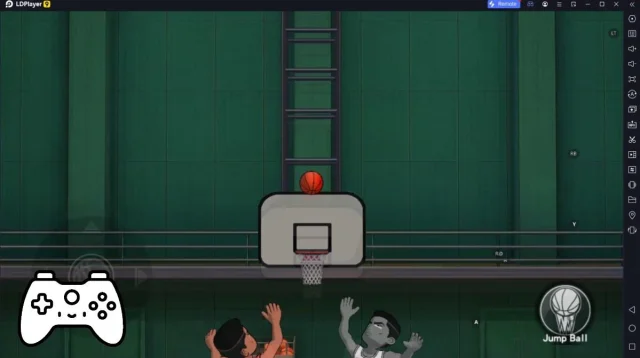
Homerun Clash เป็นเกม กีฬา ที่พัฒนาโดย HAEGIN Co., Ltd. LDPlayer เป็นแพลตฟอร์มที่ดีที่สุดในการเล่น Homerun Clash บน Windows PC มันสามารถมอบฟังก์ชันอันทรงพลังเพื่อช่วยให้คุณได้รับประสบการณ์ที่ดื่มด่ำใน Homerun Clash
เมื่อคุณเล่น Homerun Clash บนคอมพิวเตอร์ของคุณ หน้าจอที่ใหญ่ขึ้นและประสิทธิภาพกราฟิกที่ทรงพลังยิ่งขึ้นช่วยให้คุณเพลิดเพลินกับภาพเกมที่ชัดเจนและราบรื่นยิ่งขึ้น ปรับปรุงความดื่มด่ำและประสบการณ์การมองเห็นของเกม
วิธีการทำงานของอุปกรณ์ต่อจอย เช่น จอยได้รับการจำลองให้สอดคล้องกับความรู้สึกของการเล่นกีฬาจริงมากขึ้น ให้การควบคุมที่แม่นยำยิ่งขึ้นและตัวเลือกการทำงานที่สมบูรณ์ยิ่งขึ้น
นอกจากนี้ หากคุณต้องการบรรลุชุดของการดำเนินการคีย์ที่ต่อเนื่องกัน ฟังก์ชันมาโครแบบปุ่มเดียวจะเป็นฟังก์ชันในฝันของคุณ การดำเนินการด้วยปุ่มเดียวช่วยให้คุณบรรลุผลเร็วขึ้นหนึ่งขั้นตอนได้อย่างง่ายดาย เริ่มดาวน์โหลดและเล่น Homerun Clash บนคอมพิวเตอร์ของคุณทันที!
# Hit Home Runs With Simple and Easy Controls!Hold and release to hit some hard-hitting home runs!
Hit more powerful home runs to dominate the competition!
# Match in Real Time With Batters From Around the World
Compete in real-time matches with sluggers from all around the world, anytime anywhere!!
Play short yet sweet memorable matches!
# Train Your Very Own Heavy-hitting Slugger
A spy, a cheerleader, a wrestler...?
Train various characters with unique characteristics and gear them up!
# Various Playable Content
- 1vs1 Match: The fundamental 1-on-1 competitive game mode!
- Battle Royale: An intense 4-person online survival game mode!
- Challenge Mode: A single-player experience where you compete for a high score.
- Adventure Mode: A single-player experience where you can test your limits.
- Story Mode: A single-player story mode experience where you can learn more about the players.
# More Intense Competitive Content
- Tournaments: A regularly held event for sluggers only. Epic rewards are given!
- World Championship: A special 1vs1 Match that takes place in locations around the world.
- Battle Royale World Series: A special battle royale that takes place in locations around the world.
- World Challenge: A game of survival where 100 heavy hitters participate at the same time.
- Clan Battle: A competitive game mode for the clans. Join one and get in on the fun!
※ Use of illegal programs, modified apps, and other unauthorized methods to access the game may result in service restrictions, removal of game accounts and data, claims for compensation of damages, and other remedies deemed necessary under the Terms of Service.
[ Official Community ]
- Facebook: https://www.facebook.com/HomerunClash/
- Instagram: https://www.instagram.com/homerunclash/
- Twitter: https://twitter.com/HomerunClashOfficial
* For game-related queries, please contact us at support@homerunclash.zendesk.com
* Although it is free to play, this game contains optional in-app purchases that may incur additional charges. Please note that refund of in-app purchases may be limited depending on circumstance.
* For our usage policy (including refunds & termination of service), please read the Terms of Service available in the game.
▶About App Access Permissions◀
In order to provide you with game services listed below, the app will ask you for permission to grant access as follows.
[Required Permissions]
Access to Files/Media/Photos: This allows the game to save data on your device, and to store any gameplay footage or screenshots you take within the game.
[How to Revoke Permissions]
▶ Android 6.0 and above: Device Settings > Apps > select app > App Permissions > grant or revoke permission
▶ Below Android 6.0: Upgrade your OS version to revoke the access permissions as above, or delete the app
※ You can revoke your permission for the app to access game files from your device by following the instructions above.
※ If you are using a device which runs below Android 6.0, you will not be able to set permissions manually, so we recommend that you upgrade your OS to Android 6.0 or higher.
[Caution]
Revoking the required access permissions may prevent you from accessing the game and/or cause termination of game resources that are running on your device.