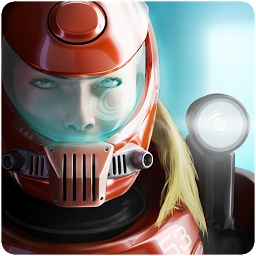


Xenowerk เป็นเกม แอคชั่น ที่พัฒนาโดย Pixelbite LDPlayer เป็นแพลตฟอร์มที่ดีที่สุดในการเล่น Xenowerk บน Windows PC มันสามารถให้ฟังก์ชั่นอันทรงพลังเพื่อช่วยให้คุณได้รับประสบการณ์การเล่นเกมที่ดื่มด่ำในรูปแบบ Xenowerk
เมื่อคุณเล่น Xenowerk บนคอมพิวเตอร์ คุณสามารถปรับการตั้งค่าอัตราเฟรมและเพลิดเพลินกับประสบการณ์การเล่นเกมที่ราบรื่นและกราฟิกเกมสุดเจ๋ง
LDPlayer ยังมีการแมปแป้นพิมพ์ที่กำหนดค่าเพื่อเพิ่มความสะดวกของคุณในการควบคุมการทำงานของเกมทั้งหมด การเพิ่มประสิทธิภาพฟังก์ชั่นการจับคู่คีย์บอร์ดอย่างต่อเนื่องยังช่วยเพิ่มความไวของปุ่มและความแม่นยำในการปลดปล่อยทักษะอีกด้วย เพื่อปรับปรุงประสบการณ์การเล่นเกมของคุณ LDPlayer ยังกำหนดค่าปุ่มพิเศษให้กับคุณ เช่น ปุ่มถ่ายภาพ ปุ่มเมาส์ที่ซ่อนอยู่ การกดปุ่มอย่างต่อเนื่อง เป็นต้น
หากคุณต้องการเล่นเกมด้วยจอยการตรวจจับจอยที่เปิดใช้งานโดยอัตโนมัติจะช่วยให้คุณปรับแต่งการควบคุมและเคลื่อนย้ายฮีโร่ของคุณได้อย่างอิสระด้วยการคลิกง่ายๆ เพียงไม่กี่ครั้ง เริ่มดาวน์โหลดและเล่น Xenowerk บนคอมพิวเตอร์ของคุณทันที!
Be the last hope against the mutant infestation. Enter the aftermath of a scientific experiment gone horribly wrong.Xenowerk™ comes from Pixelbite, the creators of Space Marshals. It is a top-down action shooter challenging your combat skills in an underground science lab. Descend deeper into the abyss and explore the tarnished levels. Armed with a flashlight as your main guidance, you’ll never know what’s lurking in the dark!
MISSION
Your objective is to destroy all the nests and eliminate all mutants to prevent them from spreading.
Xenowerk™ has 70 levels to explore with increasing difficulty. As progressing through the game you’ll come across a growing number of mutants and expanding areas to cleanse.
ARSENAL
Heavier firepower and thicker armor is critical to stay alive on your journey. Gather pickups from slain mutants to power up weapons and armor.
SPECIAL POWERS
Xenowerk™ features a set of special powers to boost your offensive when you’re in need. Activate one or several at a time for a more effective way to wipe out mutants.
KEY FEATURES
· Top-down action shooter
· Dual stick touch controls
· Beautifully rendered lighting and shadows
· Wide range of weapons and gear
· Upgradable weapons
· Special Powers to enhance your gameplay
· Performance based rating system
· Google Play Achievements & Leaderboards
· Optional in-app credit packages to purchase
· English, Deutsch, Français, Español, Italiano, 简体中文, 한국어, 日本語, 繁体中文, русский, Português do Brasil
**************
Game requires OpenGL ES 3.0 support
**************
IMPORTANT: Please note that this game requires a screen resolution of at least 800x540 to display GUI elements correctly. It may be playable at lower resolutions but it is not officially supported.
NOTE: Xenowerk features advanced graphics. To optimize game performance you may want to close down any other running applications before launching the game.
For support enquiries: support@pixelbite.se
Follow us on Twitter: @pixelbite
Follow us on Facebook: https://www.facebook.com/pixelbite
For more epic games visit: http://www.pixelbite.se/







